Class List
How to Access Class List
- Go to MyPortal
- Enter your W# and password
- Navigate to the Faculty Dashboard and click on Class List
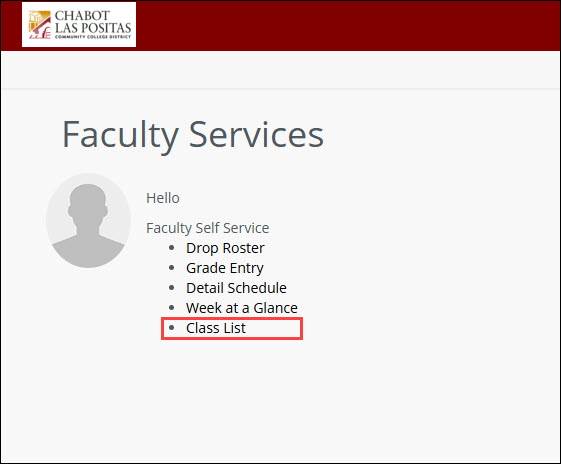
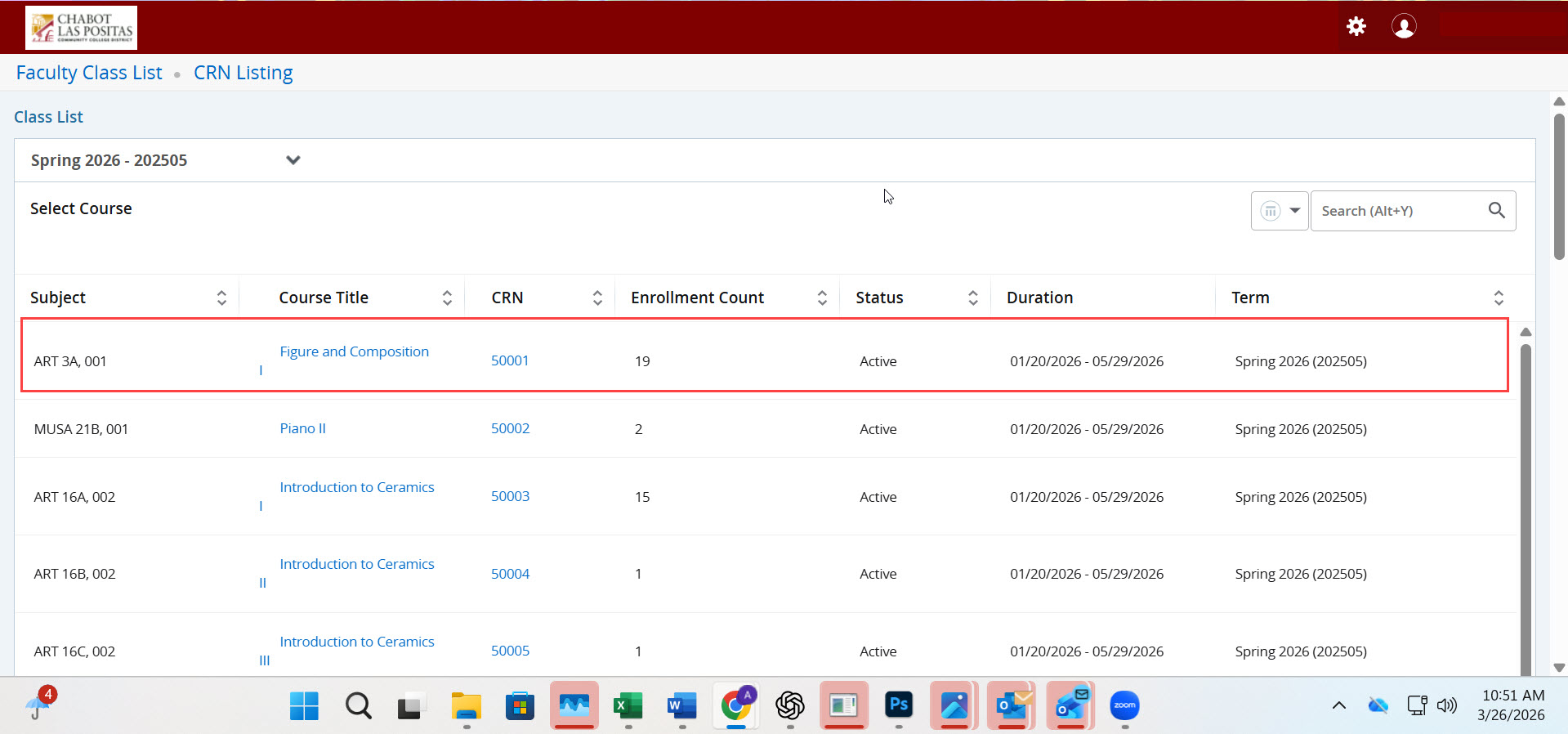
SSB9: Faculty Class List
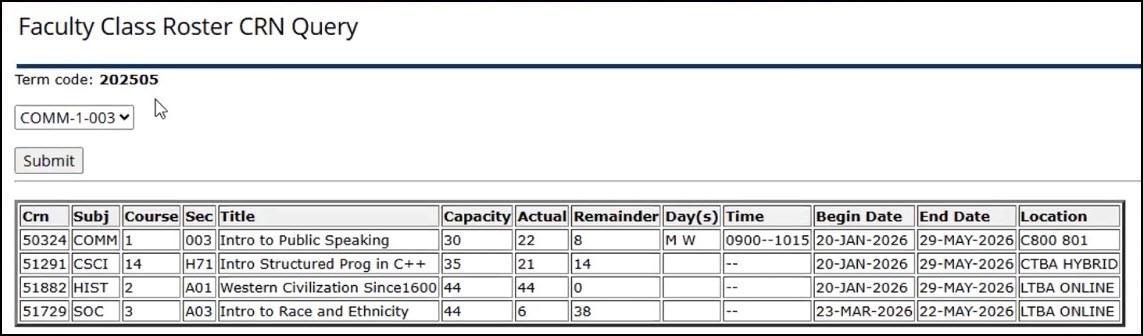
Clicking on the CRN will open the section information—it will not open your roster.
Neither of the hyperlinks in the row will open the roster. To access it, click anywhere in the row outside of the hyperlinks and double-click. This will open your roster.
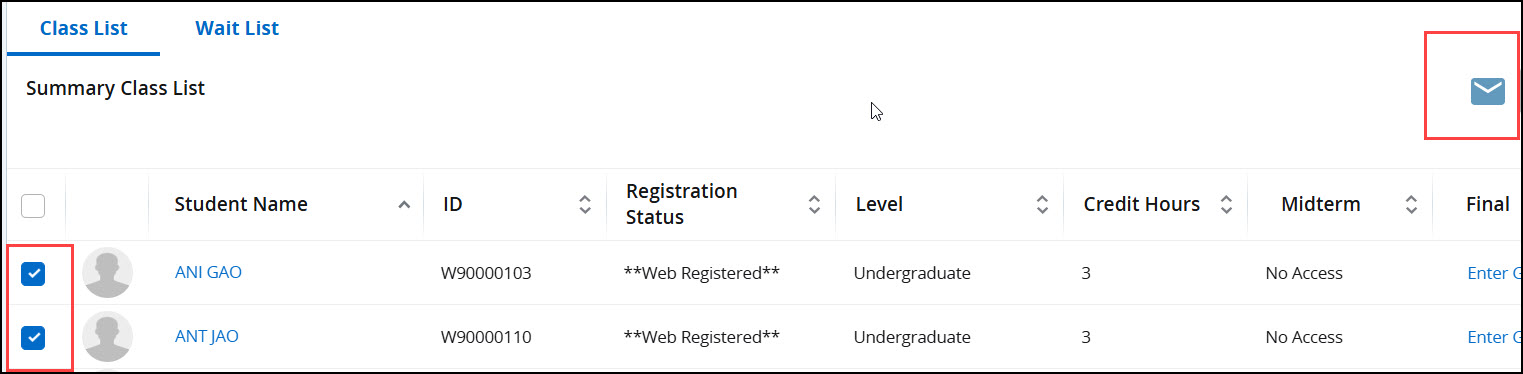
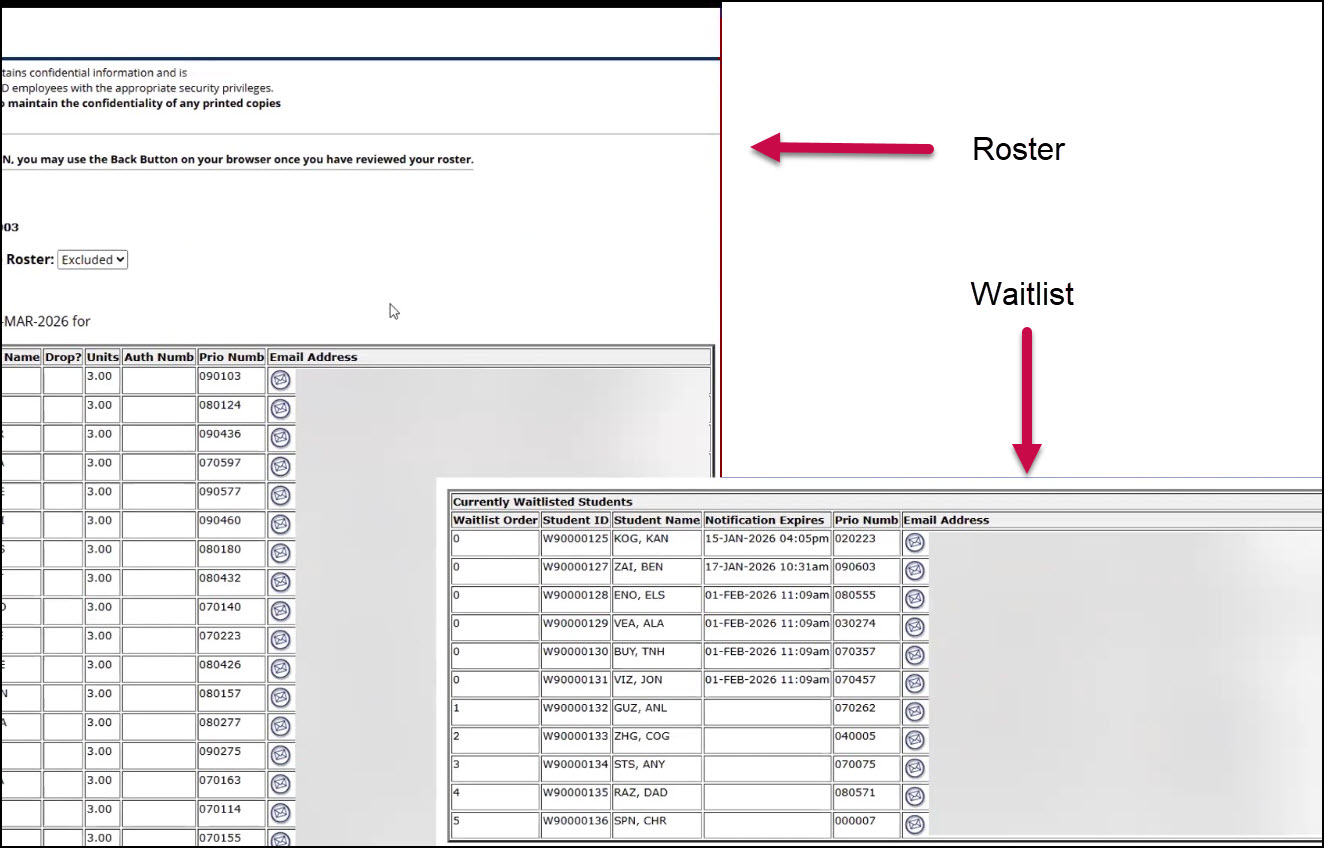
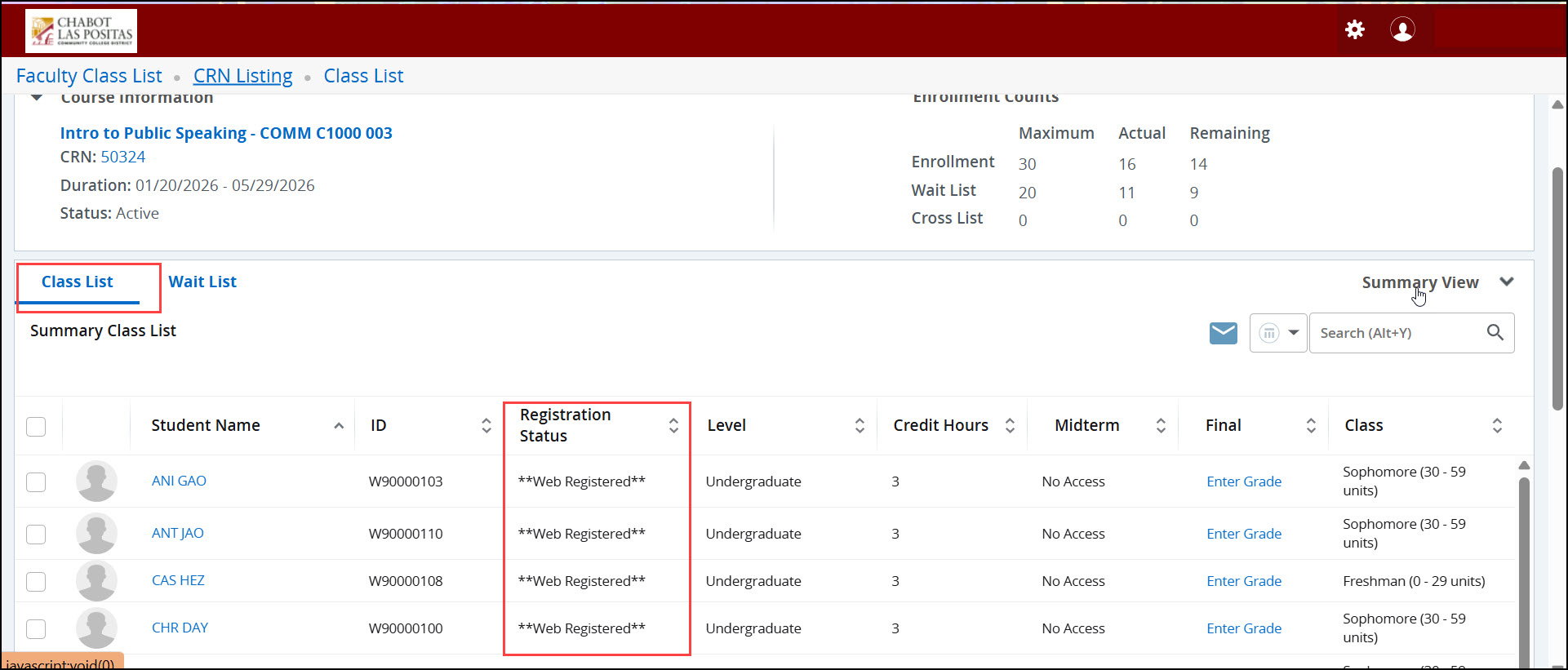
The class list displays all students who are web registered.
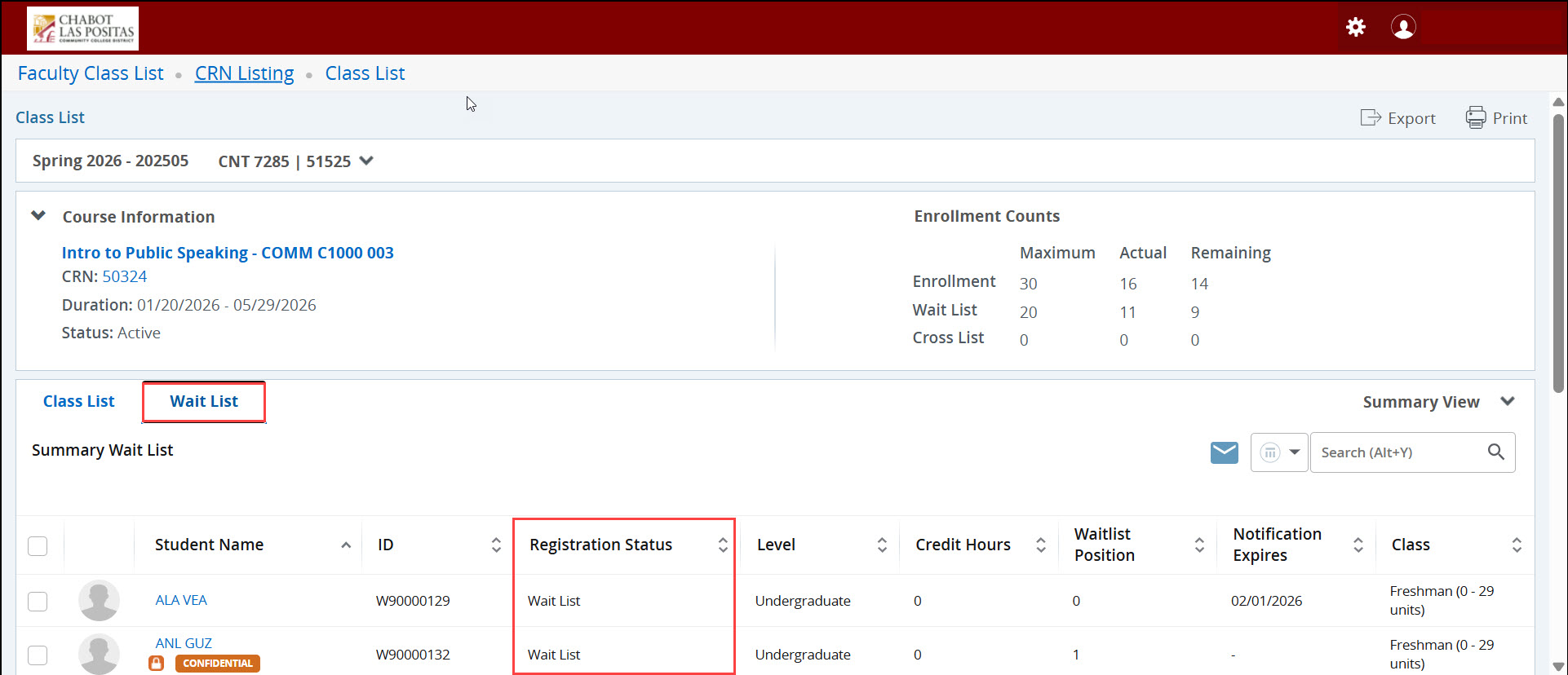
For waitlisted students, click on the Waitlist tab.
Emailing Students
1. Select the student(s) you wish to email by clicking the checkbox next to the left
of their name(s)
2. Once you have selected at least one student, use your cursor to click the email
envelope icon
3. A new email will open through your Outlook email client with the student email
address(es) populated in the BCC line